TABLE OF CONTENTS
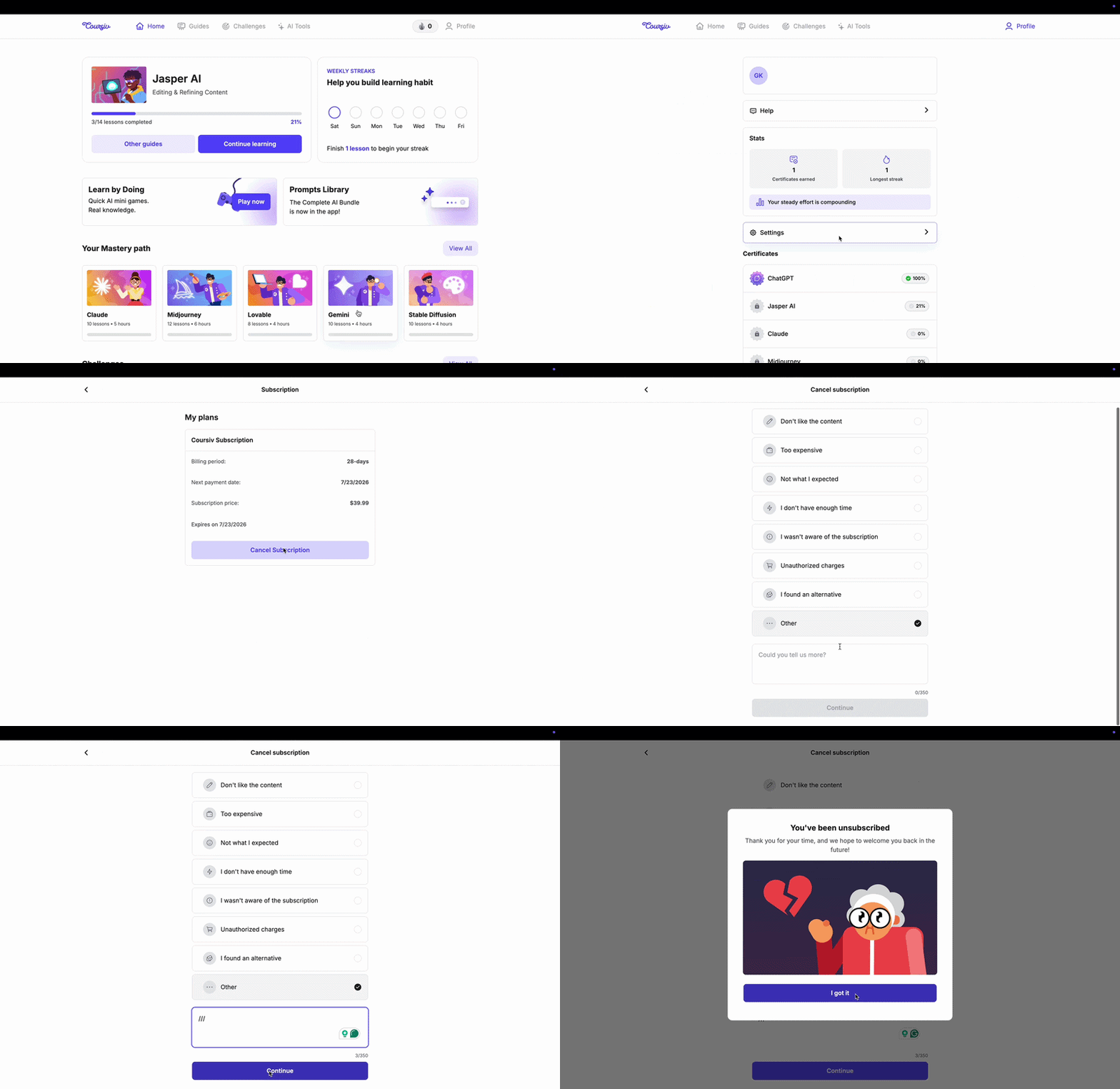
Subscribed via Coursiv?
- Log in to your Coursiv account
- Go to Profile → Settings → Manage Subscription
- Click Cancel Subscription
Using the iPhone but subscribed via the website?

Your subscription won't appear in Apple's settings — manage it directly through Profile → Settings → Subscription on app.coursiv.com
Subscribed via Android app?
- Open the Google Play Store
- Tap your profile picture in the top right corner
- Tap Payments & subscriptions → Subscriptions
- Find Coursiv and tap Cancel subscription
For more details: Google Play Cancel SubscriptionSubscribed via App Store?
- Go to iPhone Settings
- Tap your name at the top
- Tap Subscriptions
- Find Coursiv and tap Cancel Subscription
For more details: App Store Cancel SubscriptionDon't see Coursiv in your Apple subscriptions? This means you subscribed through the Coursiv website, not the App Store. Go back and follow the Subscribed via Coursiv website instructions above.
After cancellation: You'll receive a confirmation email. Your access remains active until the end of the current billing period — you won't be charged again.
Questions? Contact us at support@coursiv.io.
Was this article helpful?
That’s Great!
Thank you for your feedback
Sorry! We couldn't be helpful
Thank you for your feedback
Feedback sent
We appreciate your effort and will try to fix the article