Whether you purchased the Complete AI Bundle report or other specialized pdf guides, you have lifetime access to your content through multiple channels.
Access via the Coursiv App
Open the Coursiv app.
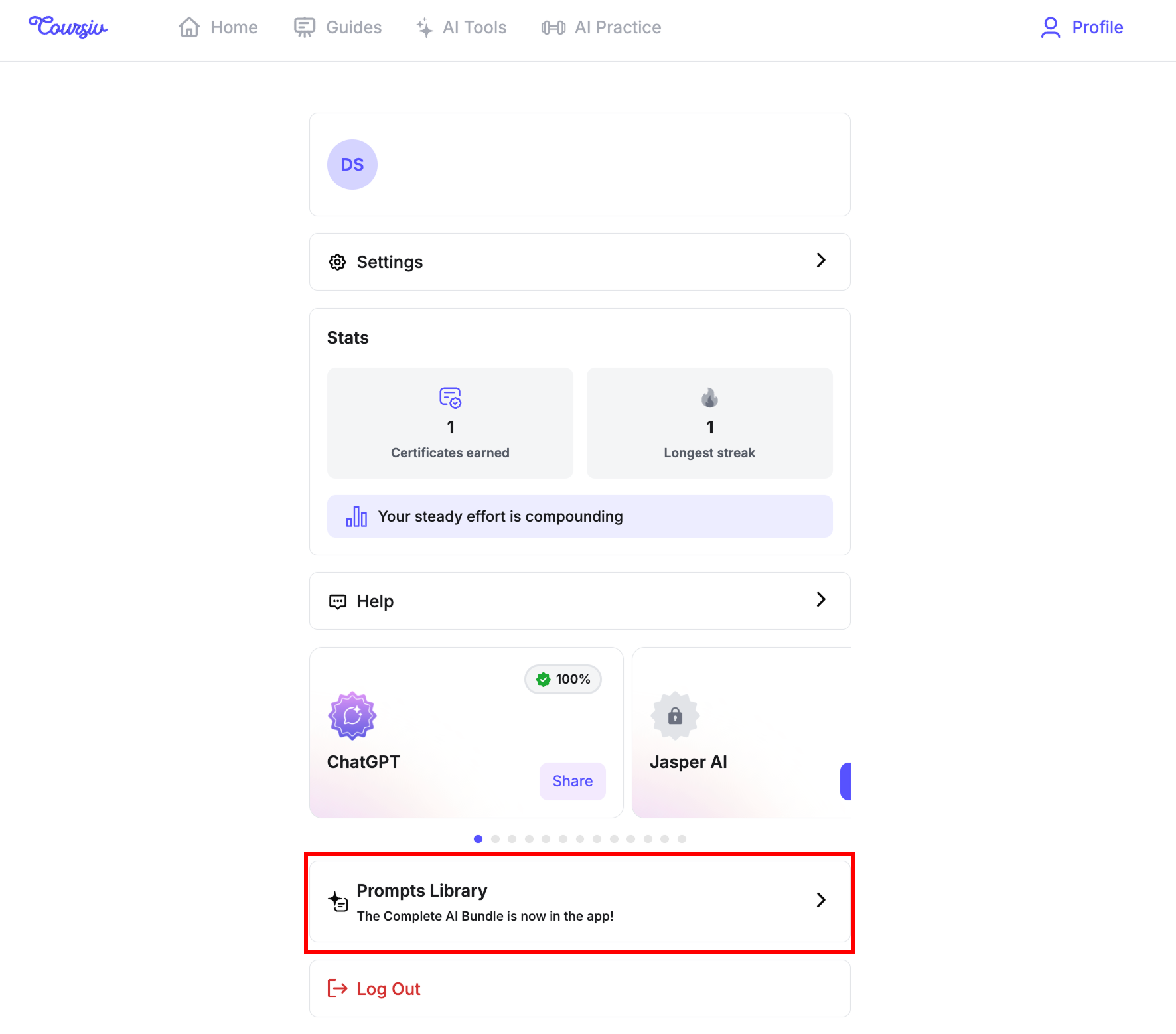
Go to your Profile.
Select Prompts Library. All your purchased PDF guides will be available there for easy viewing at any time.
Access via Email
In addition to in-app viewing, a copy of your purchased guide is automatically sent to the email address associated with your account. This allows you to download and save the file to your personal devices for offline use.
Important: Because you have lifetime access, you can return to these guides as often as you like, even if you decide to change your subscription plan in the future.
Didn't receive your guide?
If you have any further questions, please reach out to us at support@coursiv.io or visit our Support Center.
Was this article helpful?
That’s Great!
Thank you for your feedback
Sorry! We couldn't be helpful
Thank you for your feedback
Feedback sent
We appreciate your effort and will try to fix the article