Regular invoice
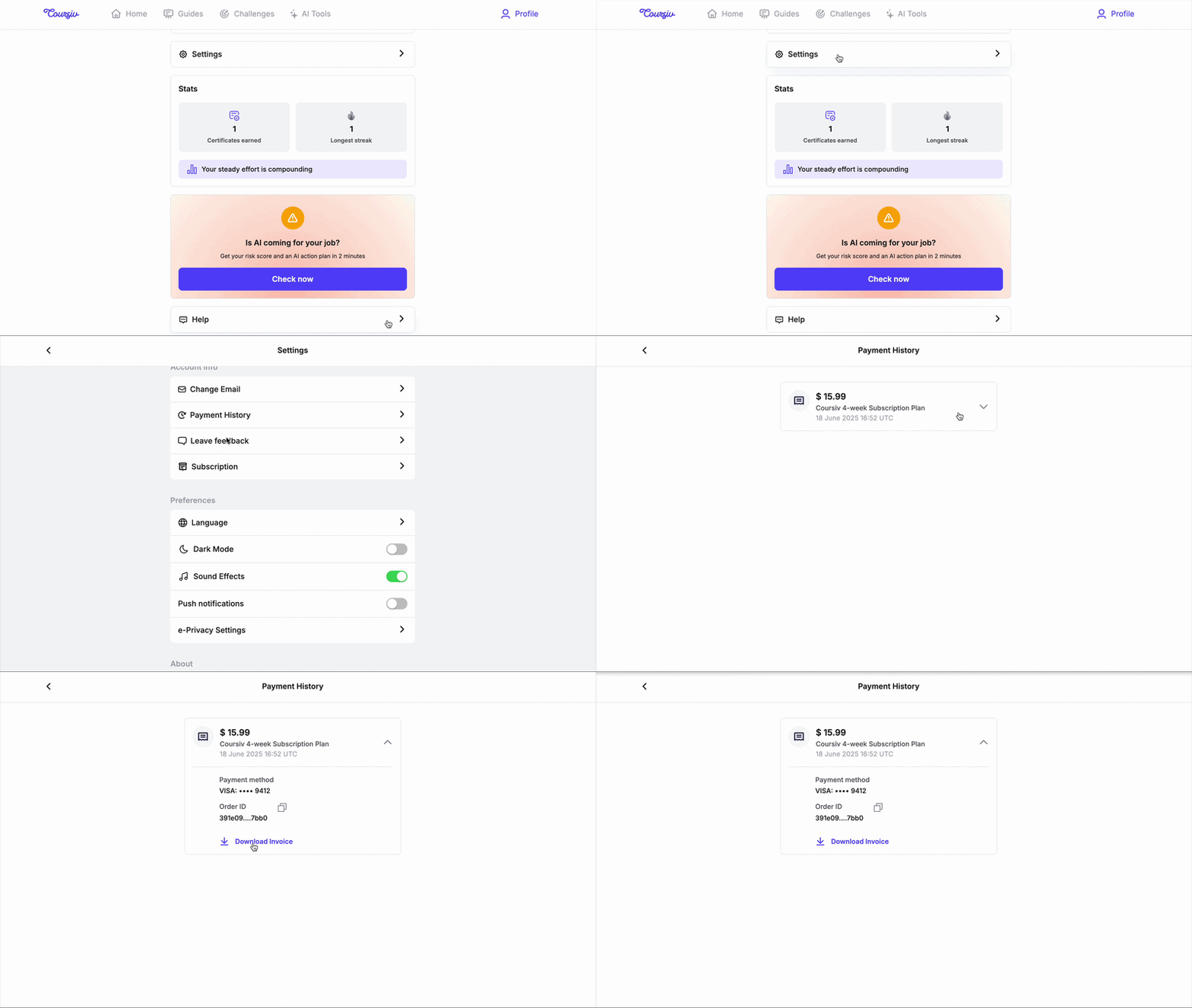
You can find your payment history and download invoices directly in the app:
- Go to Profile → Settings → Payment History
- Find the transaction you need
- Download the invoice
Detailed invoice
If you need an invoice with company information or other specific details, submit a request to support@coursiv.io and include:
- Company name and address
- VAT number (if applicable)
- Any other required details
Processing takes 2–5 business days.
Questions? Contact us at support@coursiv.io or visit our Support Center.
Was this article helpful?
That’s Great!
Thank you for your feedback
Sorry! We couldn't be helpful
Thank you for your feedback
Feedback sent
We appreciate your effort and will try to fix the article